LinkedIn Sharing
Learner Motivation
Skill check

AI InstantAnswers are designed to give learners clarity in the moment without interrupting their work.
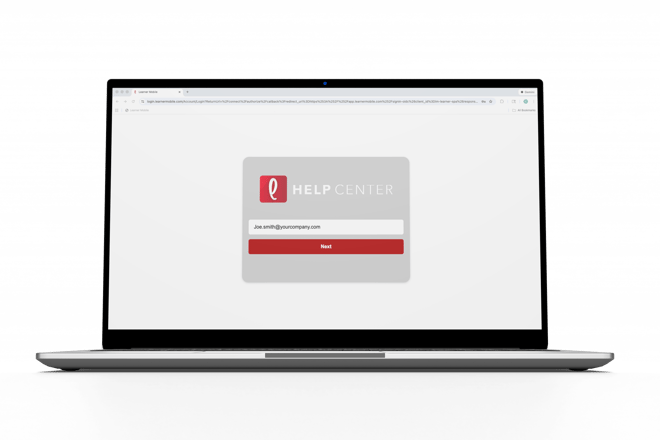
- Log ontoLearner Mobile.
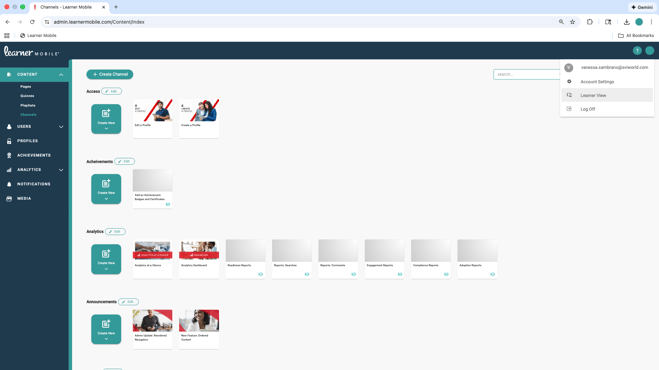
- Navigate to the learner side of the platform by clicking the circle in the top-right-hand corner.
- From the Learner side, you can use the search bar at the top of the screen to ask questions in your own words.
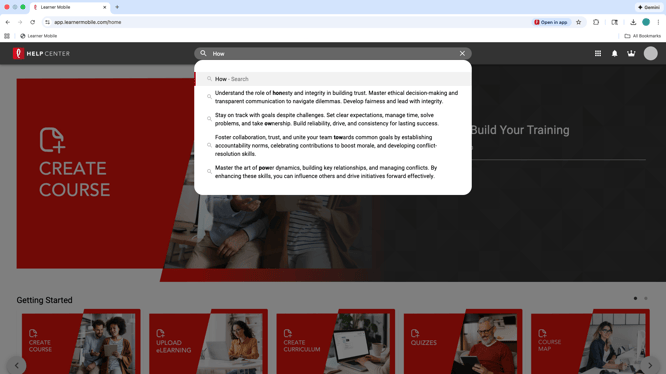
- Enter aquestion and AI Instant Answers serve up relevant responses pulled directlyfrom your training content.
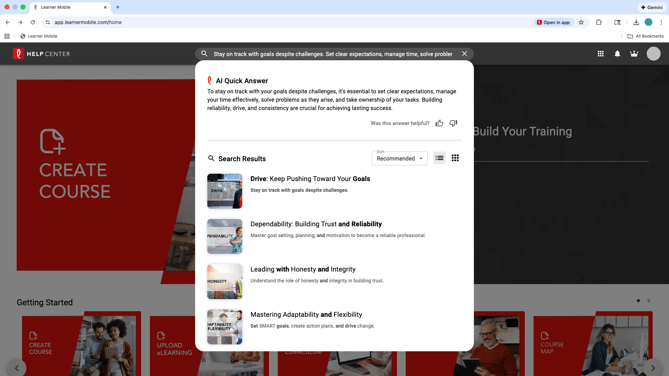
Answers are grounded in the courses andmaterials your team has created and approved. That means learners are notguessing or relying on outdated information. What they see reflects how yourorganization trains today.
When more context is needed, AI InstantAnswers also guide learners to the most relevant training content so they can dig deeper on their own terms.
The result is faster answers, fewer interruptions, and more confident performance right where the work happens.