
LinkedIn Sharing
Learner Motivation
Hot Spots

Skill checks extend training beyond the screen by giving learners the opportunity to demonstrate their knowledge in real-world settings. After completing a set amount of training, learners are prompted to meet with an authorized evaluator for an in-person assessment.
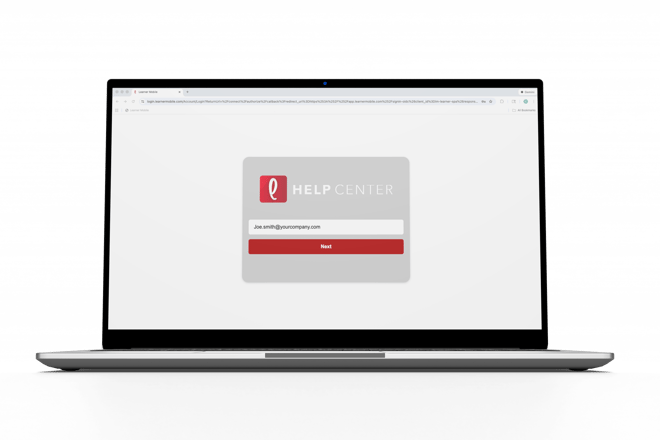
- Log onto Learner Mobile.
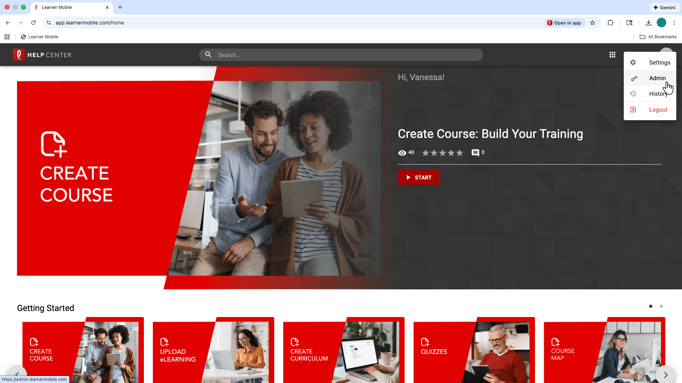
- Navigate to the Admin side of the platform by clicking the circle in the top-right corner.
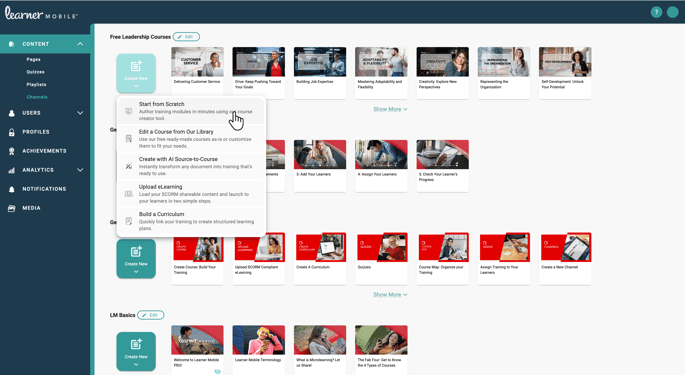
- Select Create New or edit existing content by selecting List View in the top left corner, clicking the three dots, and selecting Edit.
- Navigate to the top left corner and select “My Lesson.”
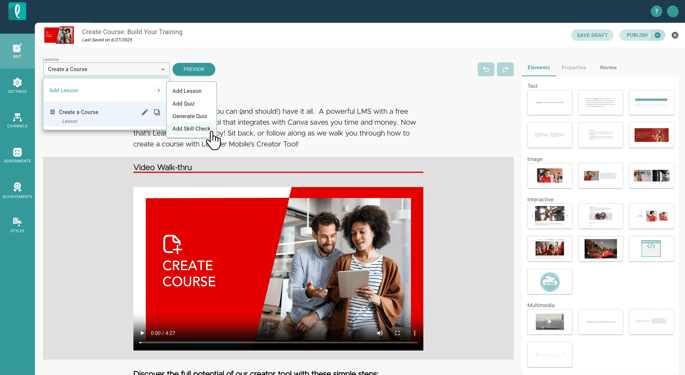
- Click “Add Skill Check.”
- Select “Add Skill Check.”
- Name your skill check and click “Go.”
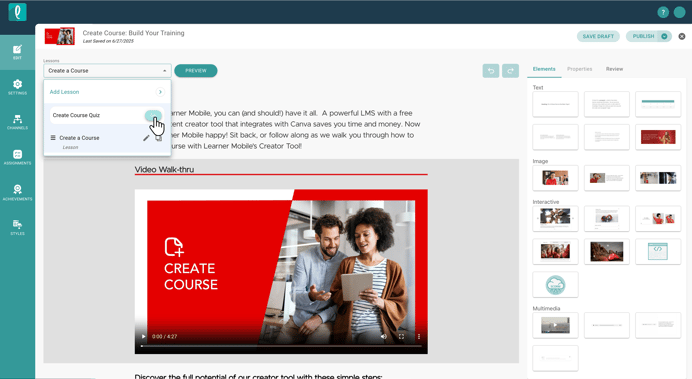
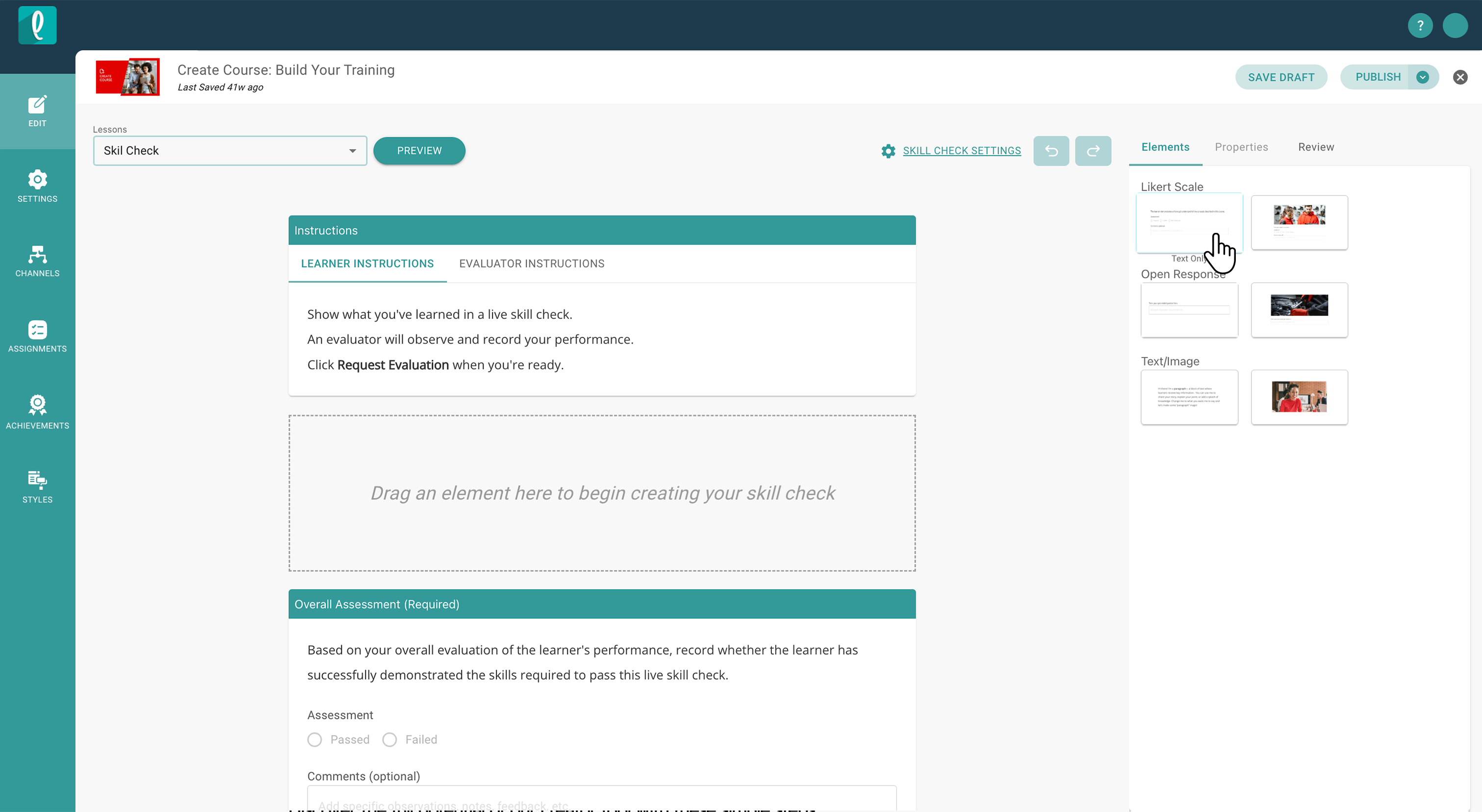
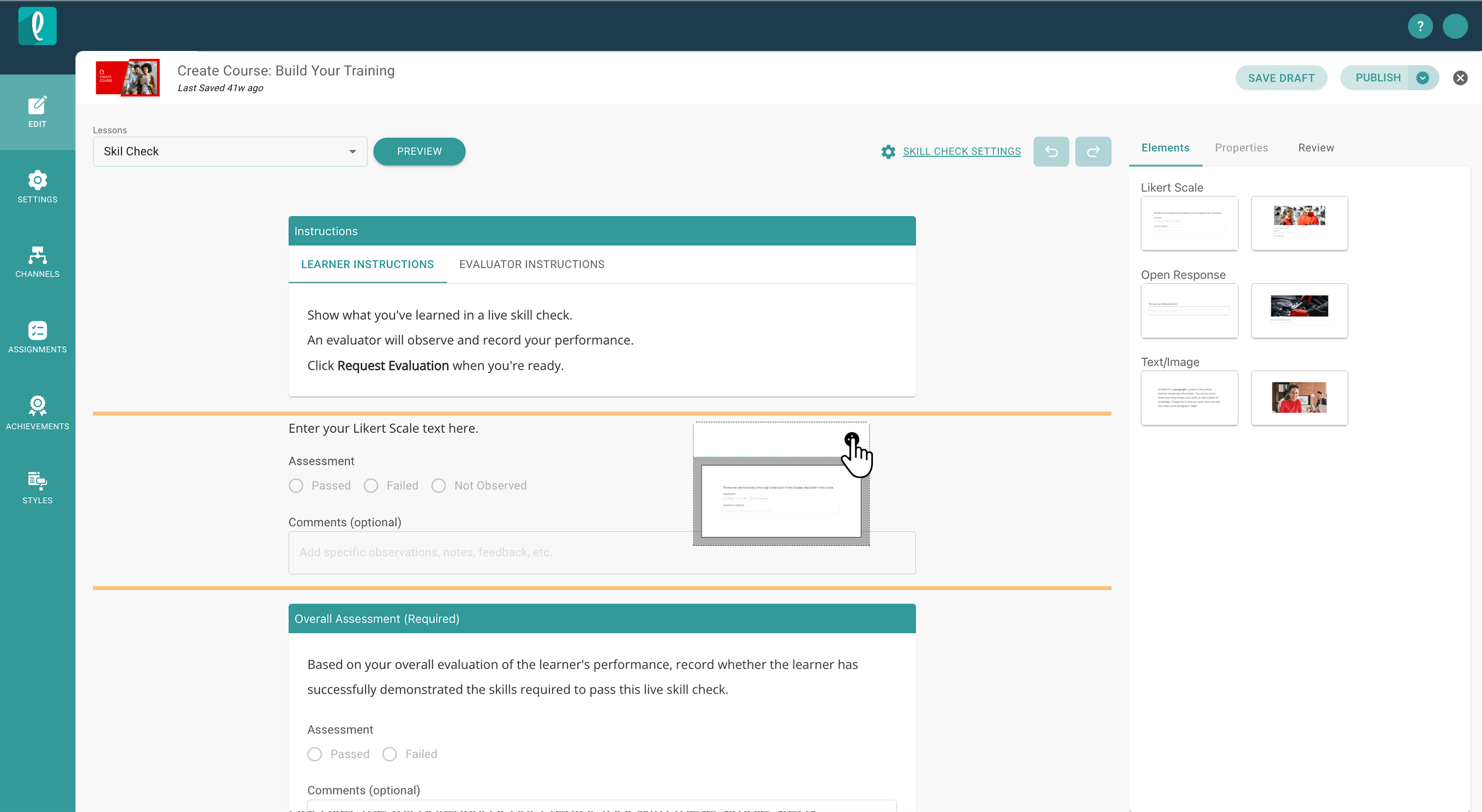
- Build your skill check using the element bank on the right-hand side.
- Drag and drop elements such as:
- Paragraphs and images for prompting
- Open-ended questions
- Likert scale questions
Use these to guide and assess learner knowledge during the evaluation
- Drag and drop elements such as:
-
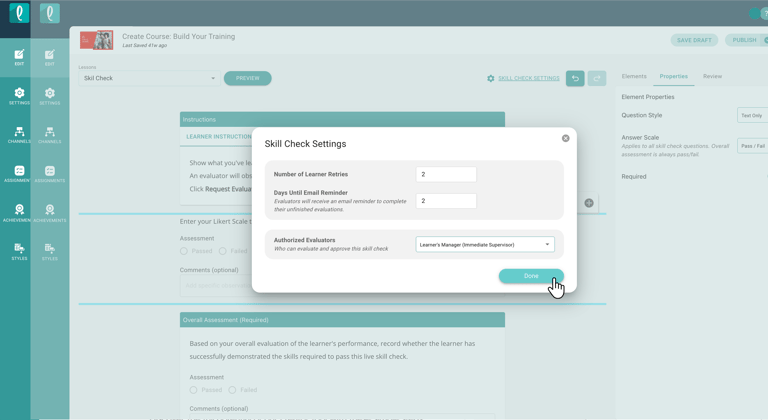
- Click Skill Check Settings at the top of the builder
- Set the number of retries
- Configure email reminders
- Assign authorized evaluators
Once assigned, learners will be notified when they are ready to complete their skill check. These evaluations take place in person and are guided by the authorized evaluator, helping ensure training translates into real performance.