LinkedIn Sharing
Learner Motivation
Skill check

Reporting and Analytics in Learner Mobile are built to give you clarity without burying you in noise.
- Log ontoLearner Mobile.
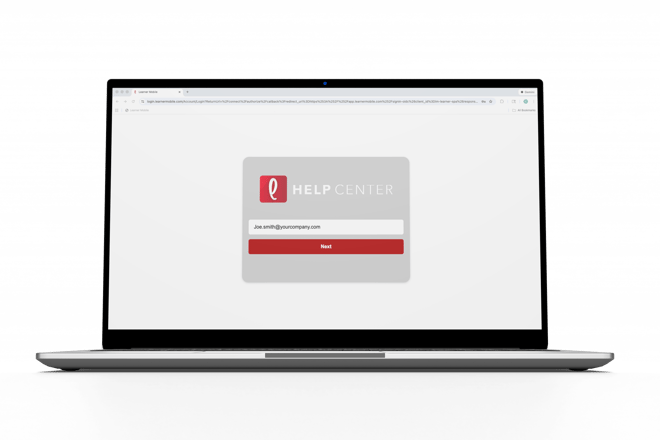
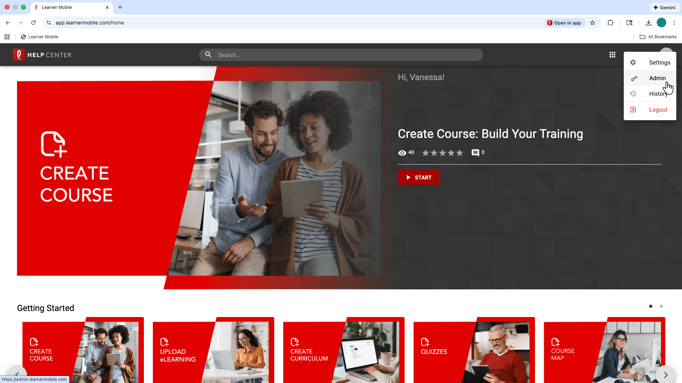
- Navigate to the Admin side of the platform by clicking the circle in the top-right corner.
- On theleft side of your screen, locate Analytics
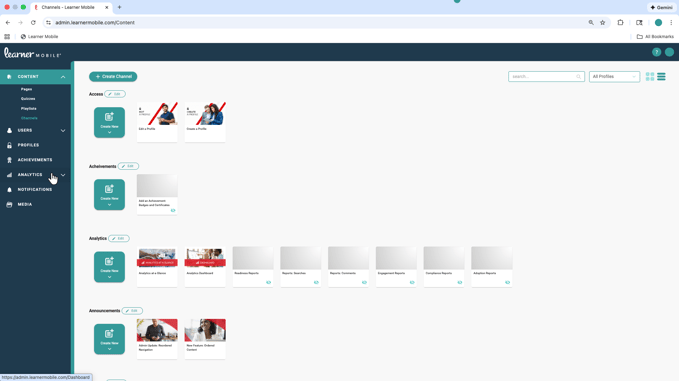
- From there, you can choose between the Dashboard and Reports, depending on how deep you want to go.
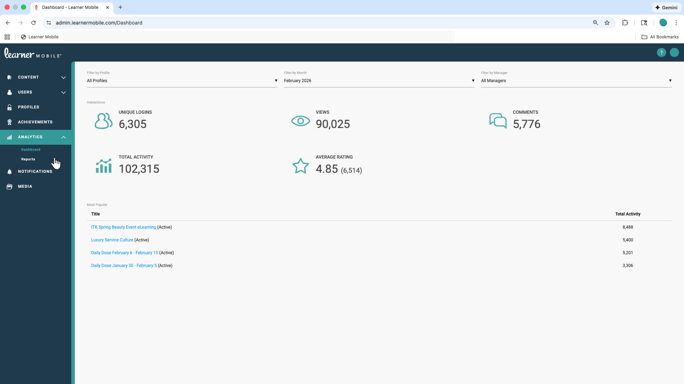
The Dashboard provides a high-level view of learner engagement and overall training performance. It helps you quickly understand how training is being used, whereparticipation is strong, and where attention may be slipping.
For deeper insight, head into Reports. This is where you can drill into completion rates, readiness, adoption, engagement, and compliance.
- Reports can be filtered by month, learner, profile, role, and more, giving you a clear picture of patterns and performance across teams and locations.
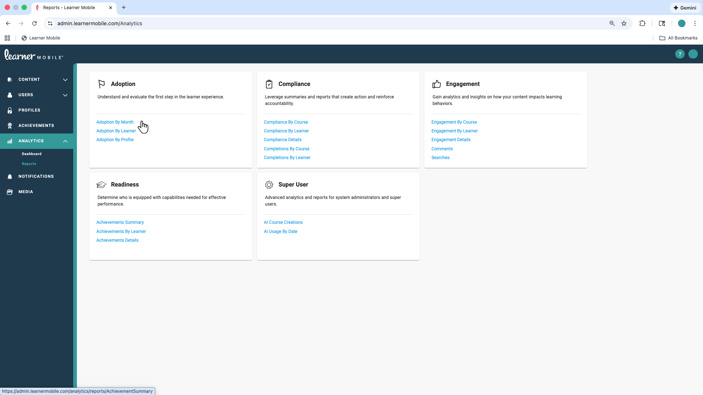
- Click into any blue hyperlink toaccess further detail
Completion reporting also includes activities beyond formal assignments, so you can see how learners are engaging with training in real-world scenarios, not just checking boxes.
Reporting and Analytics help you move from guessing to knowing, so training decisions are based on real data, not assumptions.