LinkedIn Sharing
Learner Motivation
Skill check

Source-to-course turns the content youalready have into real training, fast.
Source-to-course is built to turn existing knowledge into ready-to-use training without the usual setup work.
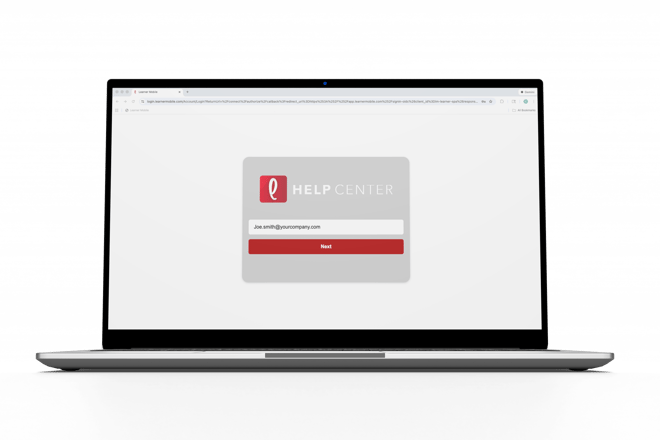
- Log ontoLearner Mobile.
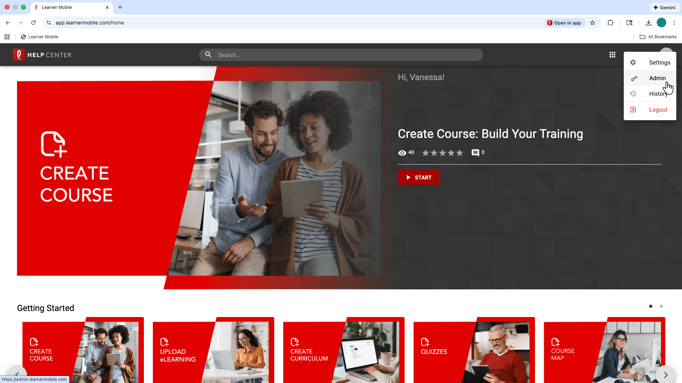
- Navigate to the Admin side of the platform by clicking the circle in the top-right corner.
- Go to the Content tab and select Create New.
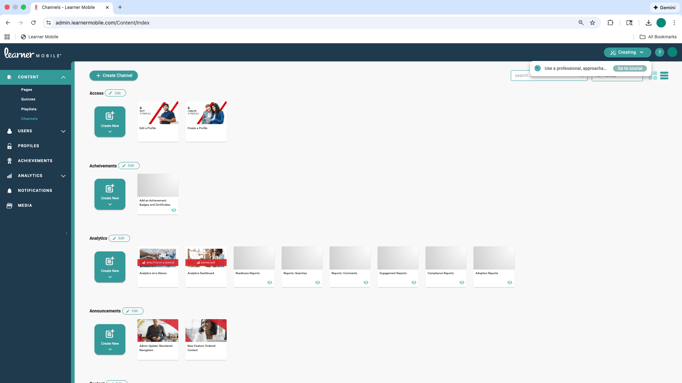
- Choose Createwith AI: Source-to-Course.
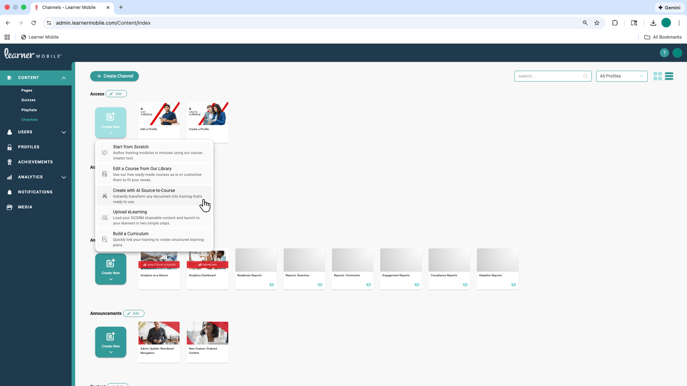
- Upload documents or start with a prompt if you are building from scratch.
- Add instructions to guide tone, style, and focus areas, so the training reflects how your organization communicates and what matters most.
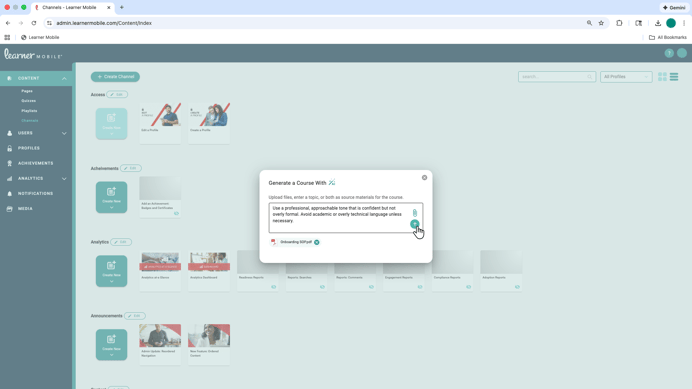
- Once you click submit, Source-to-Course gets to work.
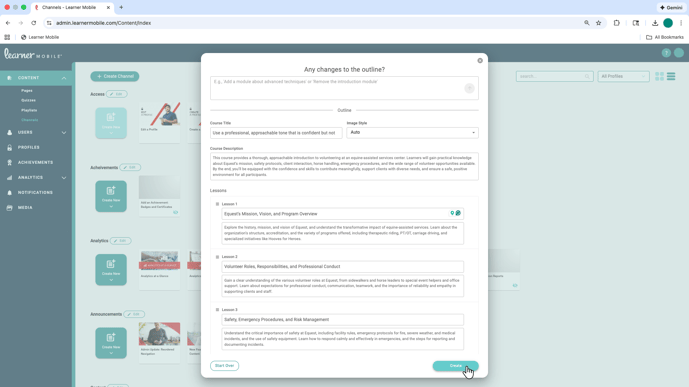
- You will see progress in the top-right corner of the screen and receive a notification when your content is ready.
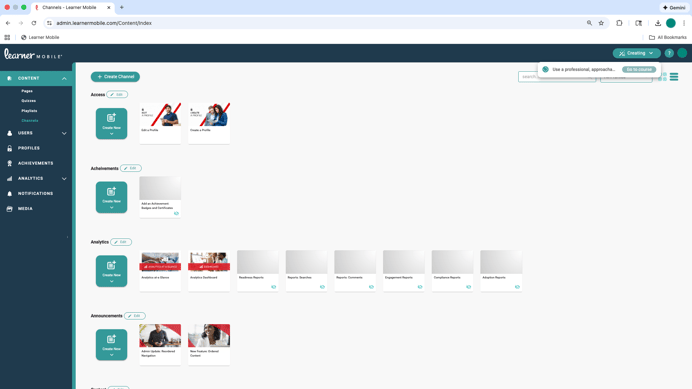
The result is a structured trainingcourse created from your materials, not a rough draft. From there, you can open the finished content, review it, and customize anything you want before publishing.
Source-to-course is designed to remove friction from course creation so training moves from ideation to live content without slowing you down.